
Building a modern dashboard is one of the most time-consuming parts of developing a SaaS or internal application. While Flutter offers excellent performance and cross-platform capabilities, turning raw widgets into a production-ready dashboard requires far more than assembling screens. Teams must consider scalability, consistency, performance, theming, accessibility, and long-term maintainability—all while racing against tight deadlines.
This is where a Flutter dashboard UI kit for SaaS becomes a strategic advantage rather than a shortcut. In this article, we explore what “production-ready” really means, the most common bottlenecks in Flutter dashboard development, and how FlutKit helps teams deliver faster without sacrificing quality.
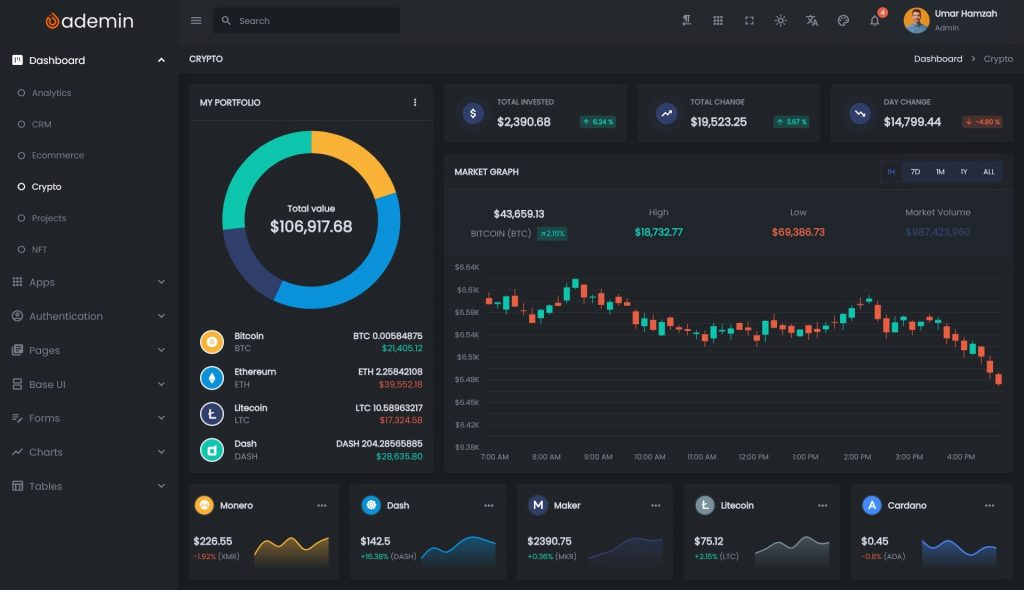
What Makes a Dashboard “Production-Ready”?
A dashboard is not production-ready simply because it looks good in screenshots. In real-world SaaS environments, a dashboard must withstand constant change, scale with new features, and remain maintainable over time.
A production-ready Flutter dashboard typically meets the following criteria:
1. Consistent Layout System
A real dashboard uses a unified layout strategy:
- Predictable spacing and sizing
- Reusable grid and container patterns
- Clear navigation hierarchy (sidebars, headers, tabs)
Without a layout system, UI inconsistencies multiply as the app grows.
2. Reusable and Composable Widgets
Production apps avoid duplicated UI logic. Widgets must be:
- Modular
- Configurable
- Easy to reuse across multiple screens
This is essential for velocity and long-term maintenance.
3. Scalability and Extensibility
A dashboard must support:
- New modules and pages
- Feature flags
- Role-based access
- Growing datasets
A one-off UI solution quickly collapses under these requirements.
4. Performance and Responsiveness
Dashboards often display:
- Large tables
- Charts and analytics
- Real-time data
Poor widget structure or layout decisions can severely impact performance, especially on web and desktop targets.
5. Multi-Theme and Localization Support
Modern SaaS products often require:
- Light and dark mode
- Brand theming
- Localization and RTL support
Retrofitting these features later is expensive.
A production-ready dashboard plans for them from day one.
Common Bottlenecks in Flutter Dashboard Development
Even experienced Flutter teams encounter recurring problems when building dashboards from scratch.
1. Reinventing the Same UI Patterns
Teams repeatedly build:
- Side navigation menus
- Data tables
- Status badges
- Charts wrappers
- Form layouts
Each implementation differs slightly, creating inconsistencies and technical debt.
2. Fragmented Design Decisions
Without a shared UI foundation:
- Padding values drift
- Colors become inconsistent
- Typography varies between screens
Fixing these inconsistencies later often requires large refactors.
3. Slow Iteration Cycles
Every UI change requires:
- Updating multiple widgets
- Retesting layouts
- Adjusting responsive behavior
This slows down product iteration and experimentation.
4. Difficulty Supporting Multiple Platforms
Flutter dashboards often target:
- Web
- Desktop
- Tablet
Layouts that work on one platform frequently break on another without careful planning.
5. Poor Developer Experience
A dashboard codebase becomes hard to work with when:
- Widgets are tightly coupled
- Naming conventions are unclear
- Structure lacks documentation
New contributors struggle, and velocity drops.
How FlutKit Accelerates Development
FlutKit is designed specifically to address these bottlenecks and help teams build production-ready Flutter dashboards faster.
1. Complete Dashboard Layout System
FlutKit provides a cohesive layout foundation, including:
- Predefined dashboard shells
- Responsive containers
- Sidebar and header patterns
- Consistent spacing and sizing
Instead of designing layouts from scratch, teams can focus on business logic and features.
This is especially valuable for Flutter SaaS dashboards, where layout consistency is critical.
2. Reusable Widgets Built for Real Products
FlutKit includes 100+ reusable widgets, designed with configurability in mind:
- Buttons, badges, and status indicators
- Cards and metric components
- Form elements with validation
- Data tables and list views
These widgets are not demos—they are structured for real usage, with clean APIs and sensible defaults.
As a Flutter admin template, FlutKit reduces UI boilerplate while preserving flexibility.
3. Charts and Data Visualization Out of the Box
Analytics dashboards often become bottlenecks due to:
- Chart configuration complexity
- Inconsistent styling
- Performance issues
FlutKit provides pre-styled chart components that:
- Match the overall design system
- Are easy to configure
- Integrate naturally into dashboard layouts
This allows teams to deliver analytics features earlier in the development cycle.
4. Built-In Theming and Dark Mode Support
FlutKit is structured with theming as a first-class concern:
- Light and dark modes
- Centralized color and typography tokens
- Easy customization for brand identity
Instead of scattering theme logic across widgets, FlutKit centralizes it—making global UI changes predictable and safe.
5. Localization and RTL Readiness
Global SaaS products cannot ignore localization.
FlutKit is designed to work smoothly with Flutter’s localization tools and supports RTL layouts where needed. This allows teams to expand into new markets without reworking core UI components.
6. Easy to Learn and Developer-Friendly Structure
FlutKit is designed to be easy to learn, even for developers who are new to large-scale Flutter dashboards. Instead of complex abstractions or over-engineered patterns, FlutKit emphasizes clarity, consistency, and practical structure.
Key characteristics include:
- Logical and intuitive folder structure
Files are organized in a way that reflects real dashboard features and screens, making navigation straightforward. - Clear separation between UI and business concerns
UI components are easy to identify and reuse, without requiring deep architectural knowledge to get started. - Readable and predictable naming conventions
Widgets, screens, and components are named clearly, allowing developers to understand their purpose at a glance.
Because of this approach, teams can:
- Onboard new developers faster, without long ramp-up time
- Understand the codebase quickly, even without prior context
- Customize and extend features confidently, without fear of breaking existing UI
In practice, FlutKit lowers the learning curve significantly, enabling teams and solo developers to become productive in less time—while still supporting long-term growth and maintainability.
Real-World SaaS Scenarios
To understand the practical impact of using a Flutter dashboard UI kit for SaaS, consider these common scenarios.
Scenario 1: Startup MVP Dashboard
A startup needs:
- Admin panel
- User management
- Analytics overview
With FlutKit, the team can:
- Assemble core screens quickly
- Reuse existing widgets
- Launch faster without design debt
This reduces time-to-market while maintaining professional UI quality.
Scenario 2: Growing SaaS Platform
As the product scales, new requirements appear:
- More complex analytics
- Role-based access
- Feature expansion
FlutKit’s modular structure allows teams to add features without redesigning the entire UI.
Scenario 3: Internal Enterprise Tools
Internal dashboards often require:
- Dense data presentation
- Desktop and web support
- Long-term maintainability
FlutKit’s structured layout and data components make it well-suited for enterprise Flutter applications.
Who Should Use FlutKit?
FlutKit is not just for one type of developer. It is particularly valuable for:
1. SaaS Founders and Solo Developers
If you are building a product alone or with a small team, FlutKit helps you:
- Avoid UI rabbit holes
- Focus on core features
- Ship faster with confidence
2. Product Teams
Teams benefit from:
- Shared UI standards
- Faster onboarding
- Reduced design inconsistencies
3. Agencies and Freelancers
For client work, FlutKit:
- Improves delivery speed
- Ensures consistent quality
- Reduces repetitive UI work
4. Enterprise Development Teams
Large teams value:
- Maintainability
- Scalability
- Clear structure
FlutKit provides a strong UI foundation that aligns with these needs.
Final Thoughts
Building a production-ready Flutter dashboard is not just about writing code—it is about designing systems that scale with your product and your team.
FlutKit helps eliminate the most common pain points in Flutter dashboard development by providing:
- A complete layout system
- Reusable, production-grade widgets
- Built-in theming and localization
- Easy to learned
Instead of spending months assembling UI infrastructure, you can focus on what truly matters: delivering value to your users.
Explore FlutKit
If you want to build a Flutter SaaS dashboard faster—without sacrificing quality or maintainability—explore FlutKit and see how it fits into your workflow.