
Desktop applications are far from obsolete. In fact, many of today’s most critical business systems still rely on desktop dashboard applications—from internal admin tools and monitoring systems to enterprise management software. What has changed is user expectation: desktop dashboards are no longer allowed to look outdated or behave inconsistently across platforms.
Modern desktop developers face a difficult challenge. Traditional desktop frameworks are powerful, but they often slow down UI development and make cross-platform consistency expensive. At the same time, web-based dashboards sometimes struggle with performance, offline use, and deep system integration.
This is where Flutter for desktop dashboards is becoming an increasingly attractive option. Flutter brings a modern UI model, fast iteration, and cross-platform delivery to desktop environments—without sacrificing performance or maintainability.
In this article, we will explore what defines a desktop dashboard application, the main challenges in building one, why Flutter is a strong choice, and how structured UI systems can significantly reduce development time and long-term maintenance cost.
What Is a Desktop Dashboard Application?
A desktop dashboard application is a centralized interface that allows users to view data, manage operations, and control system behavior from a single workspace. Unlike consumer apps, dashboards are typically designed for:
- Internal teams
- Administrators
- Analysts
- Operators
Common examples include:
- Business admin panels
- Inventory and order management systems
- Monitoring and analytics tools
- Finance and reporting dashboards
- Network or device control panels
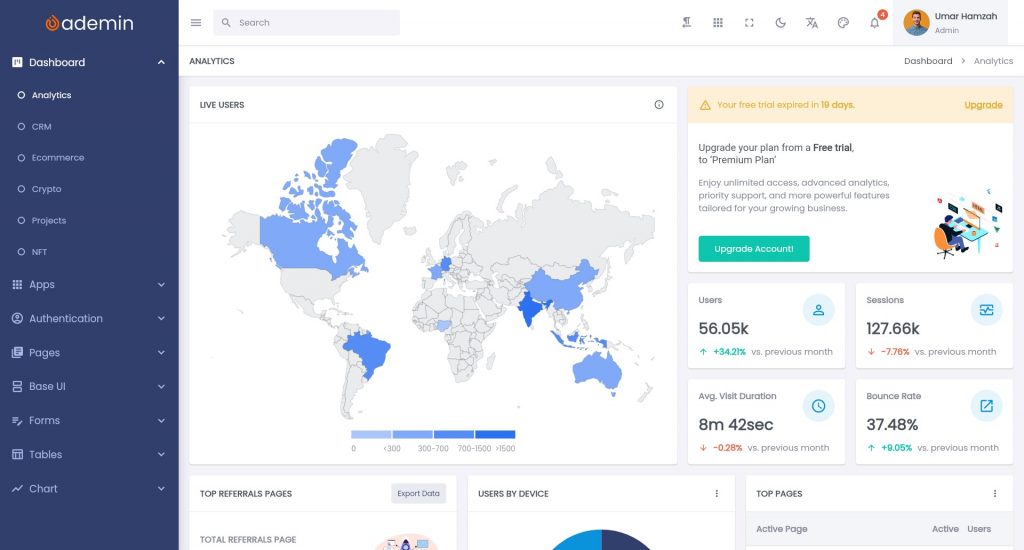
From a UI perspective, most desktop admin panels share similar characteristics:
- A persistent navigation system (sidebar or top menu)
- Data-heavy screens with tables and charts
- Forms for configuration and CRUD operations
- Status indicators and alerts
- Multi-page workflows
The challenge is not in building one screen—it is in building a scalable system of screens that remains consistent and maintainable over time.
Challenges in Building Desktop Admin Panels
Many desktop developers underestimate the complexity of dashboards because they appear visually simple. In reality, admin panels introduce several technical and architectural challenges.
1. Slow UI Iteration
Traditional desktop UI frameworks often require verbose layout code and manual styling. This slows down iteration when product requirements change—which they always do.
2. Inconsistent Design
When UI components are created ad hoc, spacing, colors, and typography gradually drift apart. Over time, the application looks fragmented, even if functionality is correct.
3. Cross-Platform Complexity
Supporting Windows, macOS, and Linux with consistent UI usually means:
- Writing platform-specific code
- Maintaining separate layout logic
- Testing on multiple rendering systems
This multiplies development and maintenance effort.
4. Poor Scalability
As features grow, dashboards tend to suffer from:
- Tight coupling between UI and logic
- Large, unstructured widget trees
- Difficult refactoring
Without a clear UI system, even small changes can introduce regressions.
5. Outdated User Experience
Many desktop dashboards struggle to implement:
- Dark mode
- Responsive resizing
- Smooth animations
- Modern navigation patterns
This makes them feel obsolete compared to web or mobile interfaces.
Why Flutter Is a Strong Choice for Desktop Dashboards
Flutter is widely known for mobile development, but its desktop support has matured significantly. For dashboard and admin panel use cases, Flutter offers several important advantages.
1. Single Codebase, Multiple Platforms
Flutter allows you to target:
- Windows
- macOS
- Linux
from the same codebase. This is especially valuable for internal tools and SaaS companion apps that must run on different operating systems.
2. GPU-Accelerated Rendering
Flutter renders its UI using its own engine rather than relying on native widgets. This enables:
- Smooth scrolling for large data views
- Consistent visuals across platforms
- Rich animations without performance loss
For dashboards that display charts and tables, this matters significantly.
3. Widget-Based Architecture
Flutter’s UI is composed of widgets that:
- Are reusable
- Are composable
- Can be parameterized
This makes it easier to build consistent components such as:
- Navigation menus
- Data rows
- Status badges
- Metric cards
4. Built-In Layout System
Flutter provides flexible layout primitives:
- Row / Column
- Flex and Expanded
- Grid and Wrap
- Stack
These tools allow you to design complex desktop layouts without creating custom layout engines.
5. Fast Iteration with Hot Reload
Flutter’s hot reload dramatically reduces feedback loops. UI changes can be previewed instantly, which is especially useful when designing dashboard layouts and workflows.
Key UI Components for Desktop Dashboards
Most desktop admin panels rely on a common set of UI elements. Regardless of domain, these components appear repeatedly:
1. Layout and Navigation
- Sidebar navigation
- Top bars and toolbars
- Breadcrumbs or tabs
Navigation must remain stable while content changes.
2. Data Tables
- Sorting
- Filtering
- Pagination
- Row actions
Tables are often the heart of admin panels.
3. Charts and Analytics
- Line charts
- Bar charts
- Pie charts
- KPI summaries
Visualization must be readable and consistent with the rest of the UI.
4. Forms and Dialogs
- Input fields
- Validation
- Modal dialogs
- Confirmation flows
Forms must be predictable and easy to scan.
5. Status and Feedback
- Success and error messages
- Loading indicators
- Badges and tags
- Notifications
These help users understand system state.
A modern desktop dashboard is essentially a structured composition of these elements, repeated across different features.
Designing a Scalable Desktop Dashboard Layout
The layout system determines whether a dashboard grows gracefully or collapses into complexity.
Sidebar vs Top Navigation
For desktop dashboards, sidebar navigation is often preferred because:
- It scales well with many sections
- It remains visible at all times
- It supports hierarchical menus
Top navigation works better for smaller systems but becomes crowded as features grow.
Handling Large Screens
Desktop screens vary widely in size. A good layout should:
- Avoid overly wide text lines
- Group content into visual sections
- Use grids for consistency
Flutter’s layout system allows you to control these behaviors precisely.
Adaptive vs Responsive Design
For desktop dashboards:
- Responsive design adapts to window resizing
- Adaptive design changes structure at breakpoints
In practice, dashboards benefit from a hybrid approach: stable layout structure with adaptive spacing and component scaling.
Consistency Rules
Define and reuse:
- Spacing values
- Border radius
- Font sizes
- Color usage
Without a design system, even technically correct dashboards feel unprofessional.
From Raw Flutter Widgets to Production UI
While Flutter provides powerful primitives, building a full dashboard purely from raw widgets introduces risks:
- Rebuilding the same UI patterns repeatedly
- Inconsistent naming and styling
- Lack of shared layout logic
- Slower onboarding for new developers
This is where structured UI systems or templates become valuable. They do not remove flexibility; instead, they provide:
- A baseline layout
- Prebuilt components
- Consistent theming
- Predictable file organization
The result is faster development with fewer architectural mistakes.
Using a Flutter Dashboard UI Kit for Desktop Apps
A Flutter dashboard UI kit typically provides:
- Predefined layouts
- Sidebar and navigation patterns
- Data display components
- Forms and dialogs
- Theme configuration
For desktop developers, this has several advantages:
1. Faster Time-to-Market
Instead of designing layout infrastructure, you focus on:
- Business logic
- Data integration
- Feature workflows
2. Visual Consistency
All screens follow the same spacing, typography, and color system.
3. Easier Maintenance
Changes to global styling or layout propagate across the app.
4. Better Team Collaboration
New developers can understand the structure quickly and follow existing patterns.
When combined with Flutter’s widget model, a UI kit becomes a foundation rather than a constraint.
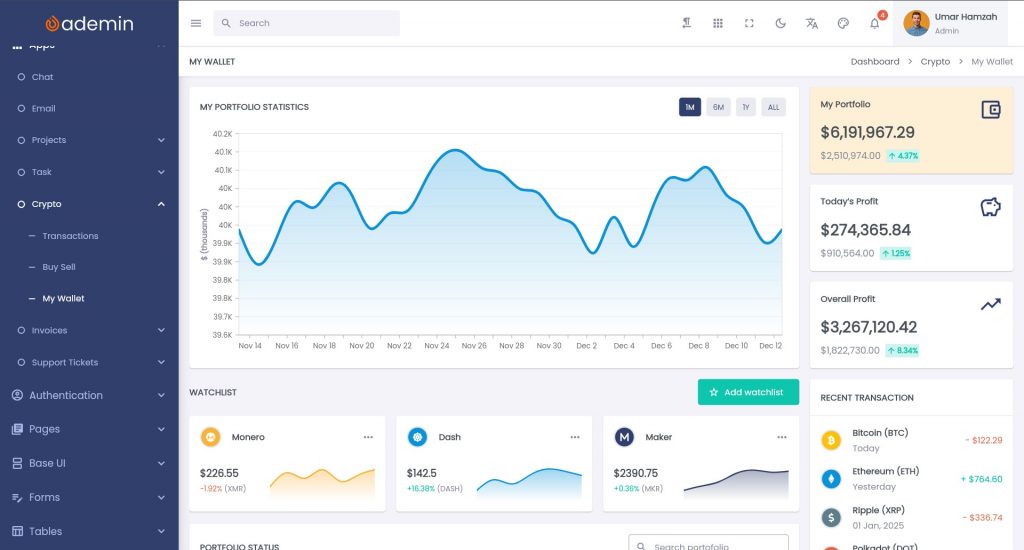
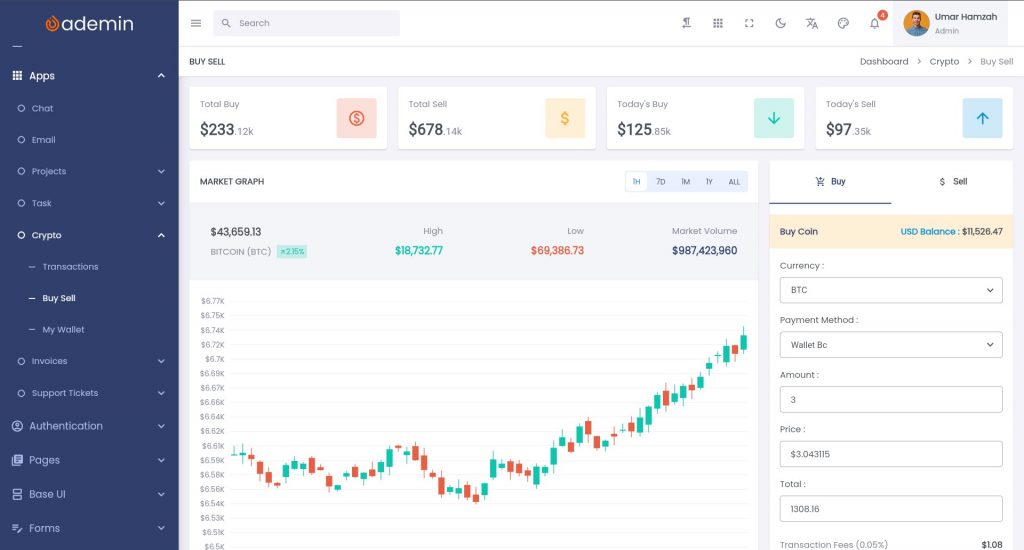
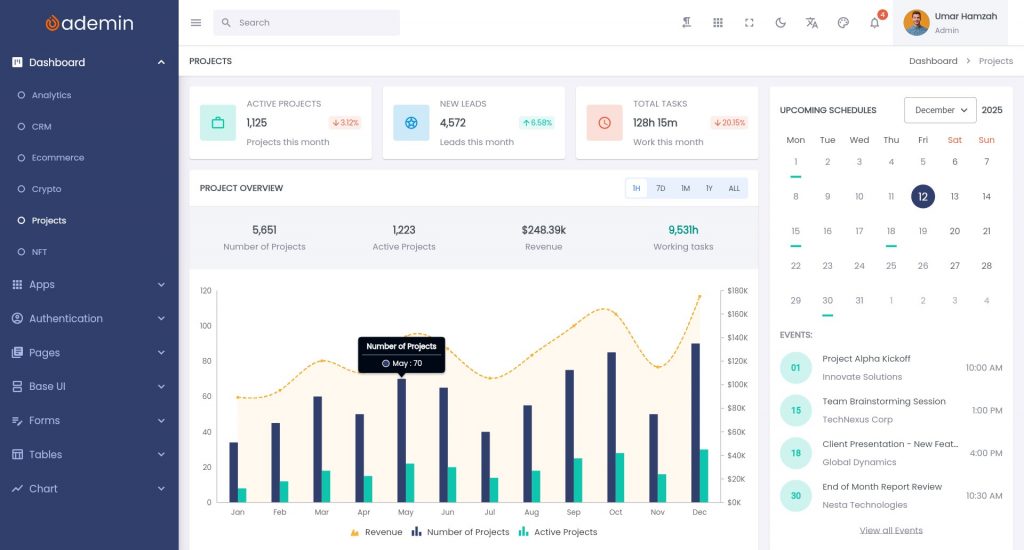
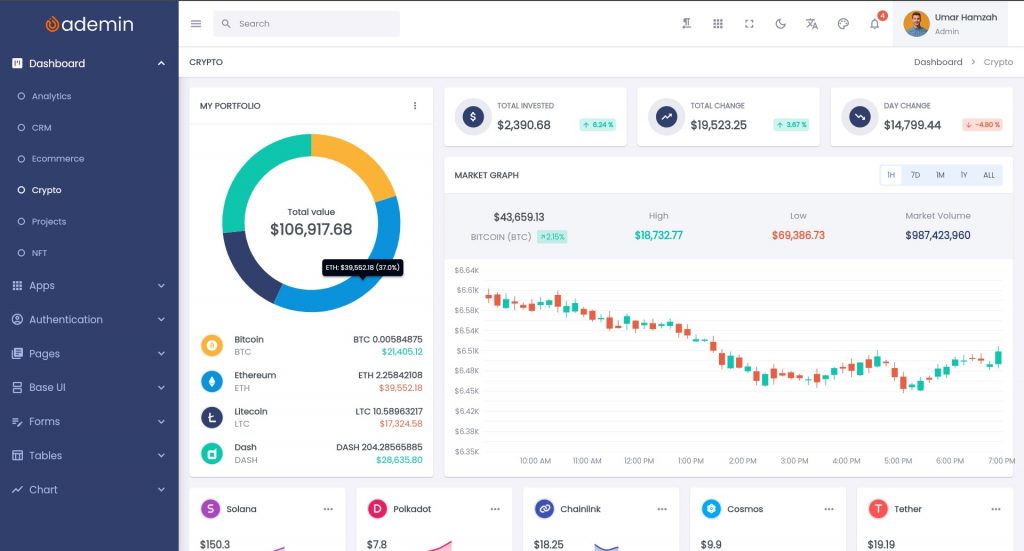
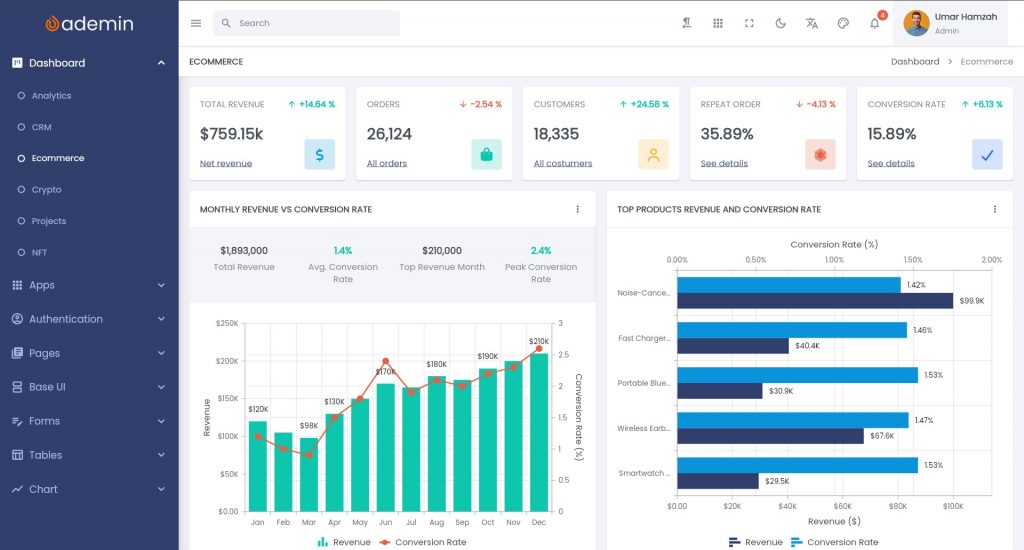
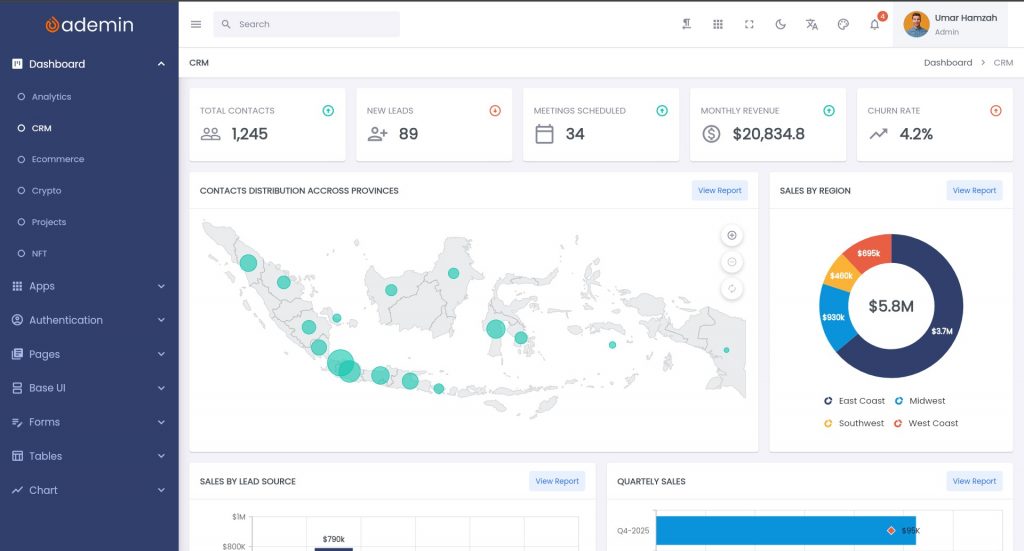
Solutions like Ademin FlutKit, for example, provide a structured dashboard system specifically designed for Flutter applications, including desktop targets. This makes it easier to build admin panels that look professional while remaining flexible enough for customization.
Real-World Desktop Dashboard Scenarios
Desktop dashboards appear across many industries.
Internal Business Admin Panels
Used for:
- Managing users
- Configuring systems
- Viewing reports
Often deployed across multiple platforms.
Analytics and Monitoring Tools
Used for:
- Visualizing KPIs
- Tracking system health
- Alerting operators
Require high performance and clear layout.
Inventory and Resource Management
Used for:
- Warehouse operations
- Asset tracking
- Order processing
Typically rely heavily on tables and forms.
Control and Management Systems
Used in:
- Network monitoring
- Device management
- Industrial tools
These require stable layouts and long-term maintainability.
In all cases, the UI must remain consistent while the underlying logic evolves.
Performance and Maintainability Considerations
A production-ready desktop dashboard must be efficient and easy to maintain.
Widget Reuse
Avoid duplicating UI code. Create reusable components for:
- Rows
- Cards
- Form fields
- Action buttons
State Management
Choose a predictable state management approach and keep UI and data logic separate.
Avoid Overdraw
Minimize unnecessary widget rebuilds and heavy layout nesting, especially in large tables and lists.
Centralized Theming
Colors, fonts, and spacing should be defined in one place.
Modular Architecture
Group features logically:
- Users
- Reports
- Settings
- Billing
Each module should manage its own UI and logic.
This approach ensures that the dashboard can grow without becoming fragile.
Who Should Consider Flutter for Desktop Dashboards?
Flutter is especially suitable for:
- Enterprise teams building internal tools
- SaaS companies needing admin panels
- Cross-platform product teams
- Desktop developers seeking modern UI without rewriting logic per OS
If your project requires:
- A consistent UI
- Rapid iteration
- Cross-platform delivery
- Long-term maintainability
Flutter is a strong candidate.
Conclusion
Desktop dashboards remain a critical part of modern software systems. What has changed is the expectation: they must now be fast, visually consistent, and easy to evolve.
Flutter offers a compelling foundation for building desktop dashboard applications by combining:
- Cross-platform support
- High-performance rendering
- A flexible widget system
- Rapid UI iteration
However, raw Flutter widgets alone are not enough. Real-world dashboards benefit from structured UI systems that provide layout rules, reusable components, and theming consistency.
By combining Flutter with a well-designed dashboard UI system—such as a Flutter dashboard UI kit—developers can significantly reduce development time while improving long-term maintainability.
Explore a Flutter Dashboard UI Kit for Desktop Apps
If you are building a desktop admin panel or dashboard application and want to accelerate development without sacrificing quality, consider exploring a structured Flutter dashboard UI kit like Ademin by FlutKit.
It provides:
- Prebuilt layouts
- Reusable widgets
- Theming support
- A foundation for scalable desktop dashboards
A strong UI system allows you to focus on what matters most: building features that deliver real value.