
SaaS applications rely heavily on well-designed admin panels. These interfaces power everything from user management and billing to analytics and system configuration. While the SaaS model has transformed how software is delivered, one thing remains constant: the admin panel is the operational core of the product.
What has changed is user expectation. Modern SaaS admin panels are no longer allowed to feel slow, cluttered, or inconsistent. Teams now expect interfaces that are fast, visually coherent, and easy to extend as the product evolves.
SaaS developers face a difficult challenge. Backend systems grow complex quickly, and front-end requirements change constantly. Traditional UI approaches often lead to fragmented layouts and brittle codebases. Meanwhile, purely web-based dashboards can struggle with performance, large datasets, and long-term maintainability.
This is where Flutter-based SaaS admin panels are becoming an increasingly attractive option. Flutter brings a modern UI model, rapid iteration, and cross-platform delivery to SaaS dashboards—without sacrificing performance or code structure.
In this article, we explore what defines a SaaS admin panel, the main challenges in building one, why Flutter is a strong choice, and how structured UI systems can significantly reduce development time and long-term maintenance cost.
What Is a SaaS Admin Panel?
A SaaS admin panel is a centralized interface that allows administrators and internal teams to manage application data, configure system behavior, and monitor performance from a single workspace. Unlike consumer-facing features, admin panels are typically designed for:
- Product teams
- Support and operations teams
- Business administrators
- Analysts
Common examples include:
- User and role management systems
- Subscription and billing dashboards
- Analytics and reporting tools
- Content and configuration panels
- System monitoring and audit logs
From a UI perspective, most SaaS admin panels share similar characteristics:
- Persistent navigation (sidebar or top bar)
- Data-heavy views with tables and charts
- Forms for configuration and CRUD operations
- Status indicators and notifications
- Multi-step workflows
The challenge is not building one screen. The real difficulty lies in building a scalable system of screens that remains consistent, understandable, and maintainable as features grow.
Challenges in Building SaaS Admin Panels
SaaS admin panels may look simple on the surface, but they introduce significant architectural and UX challenges.
1. Slow UI Iteration
SaaS products evolve continuously. When UI components are built without a structured system, even small layout or workflow changes require excessive refactoring, slowing down development velocity.
2. Inconsistent Design
Without shared components and design rules, spacing, typography, and color usage gradually diverge. Over time, the admin panel feels disjointed, reducing usability and perceived quality.
3. Growing Feature Complexity
As SaaS products mature, admin panels expand to include:
- More data views
- More configuration screens
- More user roles and permissions
Without a clear structure, this growth leads to tightly coupled UI logic and fragile code.
4. Maintenance Overhead
Poor separation between UI, state, and business logic makes refactoring risky. Technical debt accumulates quickly, increasing the cost of future changes.
5. Outdated User Experience
Many SaaS admin panels struggle to support:
- Dark mode
- Responsive resizing
- Clear visual hierarchy
- Modern navigation patterns
This makes them feel behind compared to modern web and mobile experiences.
Why Flutter Is a Strong Choice for SaaS Admin Panels
Flutter is widely known for mobile development, but its architecture makes it well-suited for complex admin interfaces.
1. Unified UI Layer
Flutter enables teams to build a consistent UI system that can be reused across platforms, including web and desktop. This is valuable for SaaS products that provide both browser-based and desktop-style admin tools.
2. High-Performance Rendering
Flutter renders UI through its own engine, enabling:
- Smooth scrolling in data-heavy views
- Stable visual output across platforms
- Complex animations without layout instability
For SaaS dashboards that display charts, logs, and tables, this improves usability significantly.
3. Widget-Based Architecture
Flutter’s widget model encourages:
- Reusable components
- Clear composition
- Parameterized UI elements
This is ideal for building admin-specific components such as:
- Data rows
- Status badges
- Navigation items
- Metric cards
4. Flexible Layout System
Flutter provides powerful layout primitives such as:
- Row and Column
- Grid and Wrap
- Stack and Expanded
These make it possible to design complex admin layouts without building custom layout engines.
5. Fast Iteration
Hot reload allows UI changes to be previewed instantly, which is especially useful when iterating on SaaS workflows and configuration screens.
Key UI Components for SaaS Admin Panels
Most SaaS admin panels rely on a consistent set of interface elements:
1. Layout and Navigation
- Sidebar menus
- Top bars
- Tabs and breadcrumbs
Navigation must remain stable while content changes.
2. Data Tables
- Sorting
- Filtering
- Pagination
- Row-level actions
Tables are often the core of admin functionality.
3. Charts and Analytics
- Line and bar charts
- KPI summaries
- Trend indicators
Visual clarity is critical for decision-making.
4. Forms and Dialogs
- Input validation
- Modal dialogs
- Configuration flows
Forms should be predictable and easy to scan.
5. Status and Feedback
- Loading indicators
- Success and error messages
- Badges and tags
- Notifications
These elements communicate system state and user actions.
Designing a Scalable SaaS Admin Layout
Layout structure determines whether an admin panel remains manageable or becomes chaotic.
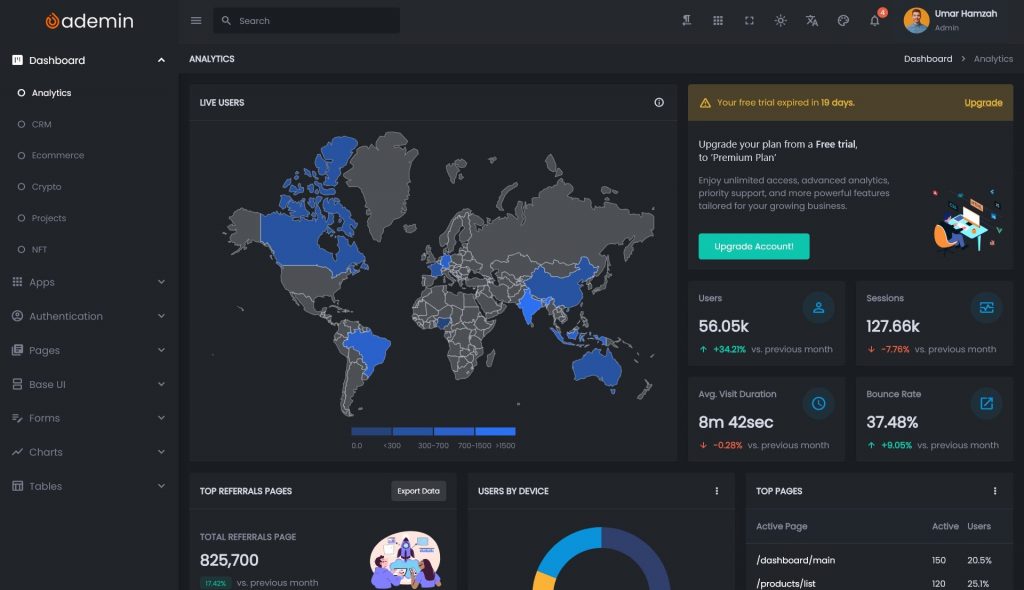
Sidebar vs Top Navigation
For SaaS admin systems, sidebar navigation is often preferred because:
- It scales with many features
- It supports nested sections
- It stays visible during navigation
Top navigation works for simpler tools but becomes crowded as features expand.
Handling Wide Screens
A good SaaS admin layout should:
- Limit excessive line width
- Group content into logical sections
- Use grids for alignment
Flutter’s layout system allows these rules to be enforced consistently.
Adaptive vs Responsive Design
SaaS dashboards benefit from a hybrid approach:
- Responsive resizing for window changes
- Adaptive structure at defined breakpoints
This keeps the layout stable while allowing flexibility.
Consistency Rules
Define and reuse:
- Spacing values
- Font scales
- Border radius
- Color roles
Without a design system, even functional admin panels feel unpolished.
From Raw Flutter Widgets to Production UI
Building a SaaS admin panel directly from raw widgets introduces risk:
- Repeated layout patterns
- Inconsistent styling
- Slower onboarding for new developers
- Difficult refactoring
A structured UI system provides:
- A baseline layout
- Shared components
- Centralized theming
- Predictable file organization
This accelerates development while reducing architectural mistakes.
Using a Flutter UI Kit for SaaS Admin Panels
A Flutter admin UI kit typically provides:
- Predefined layouts
- Sidebar and navigation components
- Data visualization widgets
- Form patterns
- Theme configuration
For SaaS teams, this offers:
1. Faster Time-to-Market
Focus on business logic instead of layout infrastructure.
2. Visual Consistency
All screens follow the same spacing and typography rules.
3. Easier Maintenance
Global changes propagate cleanly across the UI.
4. Better Team Onboarding
New developers learn patterns faster and avoid ad hoc design decisions.
When combined with Flutter’s widget system, a UI kit becomes a foundation rather than a limitation.
Solutions such as FlutKit provide structured dashboard systems specifically designed for Flutter-based admin panels, making it easier to build SaaS interfaces that look professional while remaining flexible.
Real-World SaaS Admin Panel Scenarios
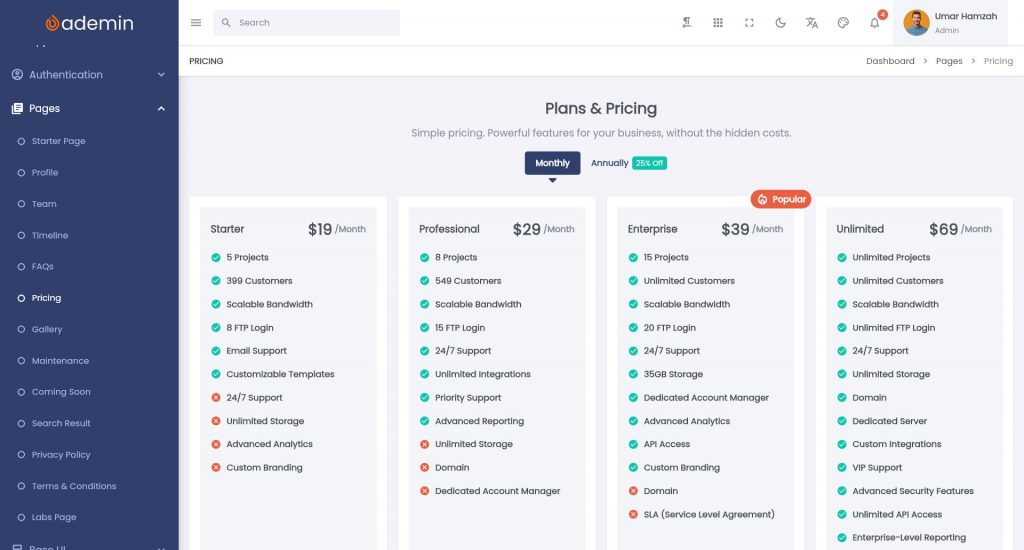
SaaS admin panels appear in many domains:
Business Management Systems
- User administration
- Subscription control
- Permissions and roles
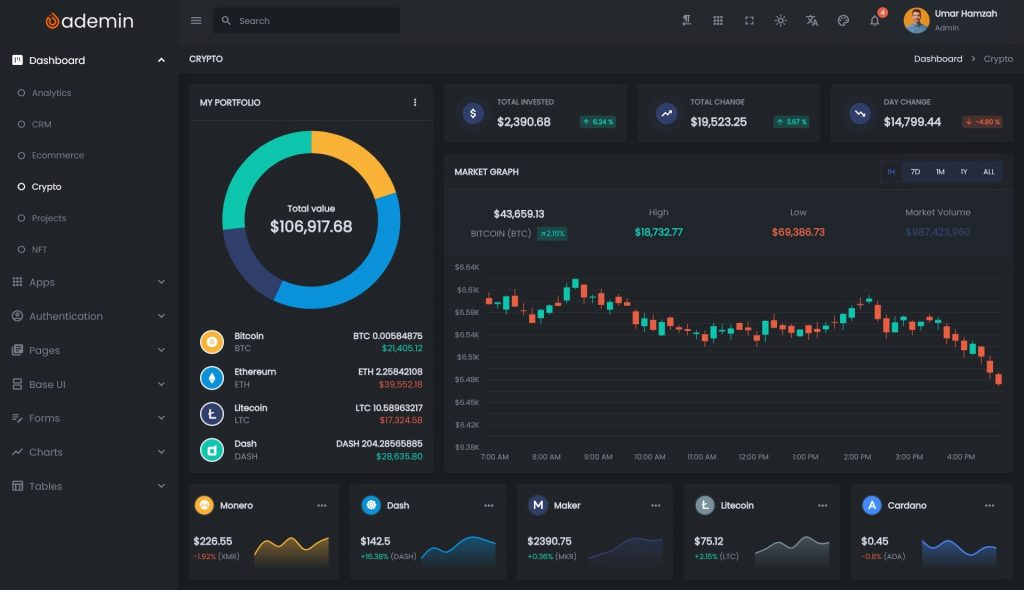
Analytics Dashboards
- Usage metrics
- Revenue tracking
- System performance
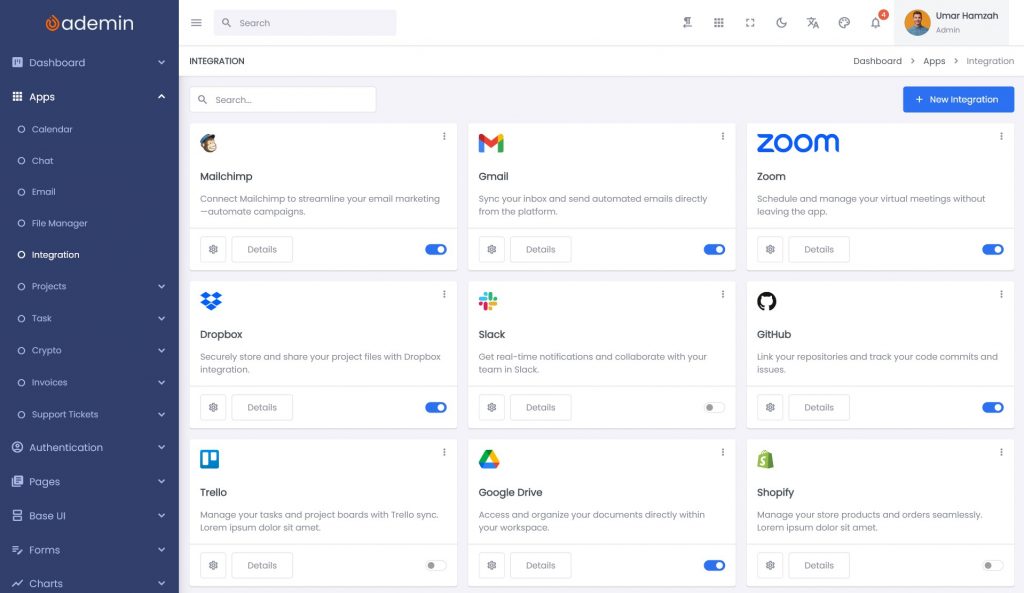
Content and Configuration Panels
- Feature toggles
- Product settings
- Integration management
Operations and Monitoring Tools
- Logs
- Alerts
- Health status
In all cases, UI consistency and long-term maintainability are critical.
Performance and Maintainability Considerations
A production-ready SaaS admin panel should be:
Modular
Group features logically by domain.
Reusable
Create shared components for rows, cards, and form fields.
Predictable
Use consistent state management and naming conventions.
Themed
Centralize colors, fonts, and spacing.
Efficient
Avoid unnecessary rebuilds and overly deep widget trees.
This ensures the system can grow without becoming fragile.
Who Should Use Flutter for SaaS Admin Panels?
Flutter is well-suited for:
- SaaS product teams
- Internal tool developers
- Cross-platform product companies
- Teams seeking faster UI iteration
If your admin panel requires:
- Consistent UI
- Rapid feature delivery
- Structured architecture
- Long-term maintainability
Flutter is a strong choice.
Conclusion
SaaS admin panels are the operational backbone of modern software products. They must be fast, consistent, and easy to evolve as the business grows.
Flutter provides a strong technical foundation by combining:
- High-performance rendering
- A composable widget system
- Flexible layout tools
- Rapid development workflows
However, real-world SaaS dashboards benefit from structured UI systems that enforce layout rules and component reuse.
By combining Flutter with a well-designed admin UI system—such as a Flutter dashboard UI kit—teams can significantly reduce development time while improving maintainability and UX quality.
Explore a FlutKit for SaaS Admin Panels
If you are building a SaaS admin panel and want to accelerate development without sacrificing quality, consider using a structured Flutter UI kit like Ademin by FlutKit.
It provides:
- Prebuilt layouts
- Reusable widgets
- Theming support
- A scalable foundation for SaaS dashboards
A strong UI system allows you to focus on what matters most: delivering business value through features, not rebuilding layout infrastructure.