
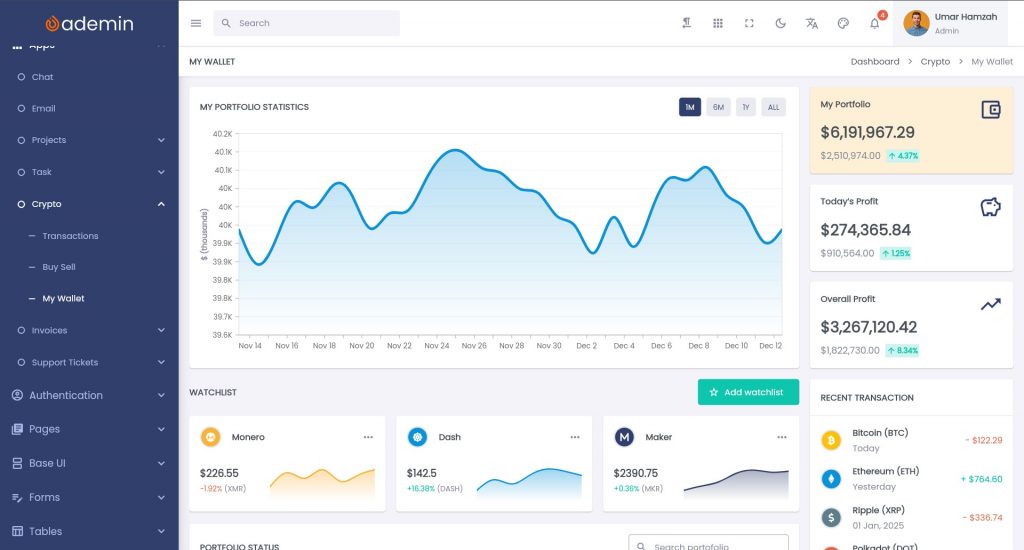
Flutter Web is increasingly popular for building web applications, especially admin dashboards, SaaS panels, internal tools, and data-driven UIs. It offers a unified codebase across mobile, desktop, and web while delivering a highly consistent UI experience.
However, one common challenge developers face is this:
Flutter Web has a longer initial load time compared to conventional web apps built with HTML, CSS, and JavaScript frameworks like React or Vue.
This can negatively affect:
- First user experience
- Bounce rate
- SEO metrics such as Largest Contentful Paint (LCP)
- Perceived performance
In this article, we will:
- Explain why Flutter Web loads slower initially
- Analyze the technical causes
- Provide practical mitigation strategies
- Focus on Flutter Web as a web app (dashboard/admin UI), not a marketing website
- Show architecture and deployment techniques to improve perceived performance
Why Flutter Web Has Longer Initial Load Time
Flutter Web works differently from traditional web frameworks.
1. Flutter Uses a Rendering Engine
Flutter does not rely on native HTML components for UI. Instead, it uses:
- CanvasKit (Skia compiled to WebAssembly), or
- HTML renderer
This means Flutter must:
- Download the Flutter engine
- Download the compiled Dart app
- Initialize the rendering system
- Build the widget tree
Compared to a simple HTML page, this is more expensive.
2. Large JavaScript and WASM Bundles
A typical Flutter Web build includes:
main.dart.js(often >1MB compressed)flutter.jscanvaskit.wasm(if using CanvasKit)
Even with gzip or Brotli compression, the payload is heavier than a minimal React SPA.
3. Full App Initialization Before UI Appears
Unlike conventional web apps where:
- HTML renders immediately
- JS hydrates progressively
Flutter Web must:
- Initialize the engine
- Run Dart code
- Then render UI
This causes:
A blank screen or loading spinner until everything is ready.
The Real Problem: Perceived Performance
The biggest UX issue is not total load time — it is perceived wait time.
Users experience:
- White screen
- Loading spinner
- No interactivity
This feels slow, even if the actual load is only 2–3 seconds.
So mitigation should focus on:
- Reducing bundle size
- Improving time-to-first-paint
- Providing immediate visual feedback
Strategy 1: Use HTML Renderer for Dashboards
For dashboard and admin apps, HTML renderer is usually sufficient.
flutter build web --web-renderer htmlWhy HTML Renderer is Faster
- No CanvasKit WASM download
- Smaller JS payload
- Faster startup time
- Better text rendering for tables and forms
CanvasKit is better for:
- Graphics-heavy apps
- Custom drawing
- Games
For dashboards:
HTML renderer is the better trade-off
Strategy 2: Enable Brotli or Gzip Compression
Flutter outputs static assets. They must be served with compression.
On Nginx
gzip on;
gzip_types text/plain application/javascript application/json text/css;
gzip_min_length 1000;Or Brotli (better):
brotli on;
brotli_types application/javascript text/css application/json;Result
You can reduce:
main.dart.jsfrom 3MB → 700KBcanvaskit.wasmfrom 2MB → 600KB
This directly reduces:
Time to First Byte (TTFB) and download time
Strategy 3: Show a Custom Preloader (Critical UX Strategy)
Flutter Web shows a blank page by default.
You should:
- Customize
index.html - Add a branded loading screen
- Display progress feedback
Example:
<body>
  <div id="loader">
    <h2>Loading Dashboard...</h2>
    <div class="spinner"></div>
  </div>

  <script src="flutter.js" defer></script>
</body>And hide loader after Flutter boots:
window.addEventListener('flutter-first-frame', function () {
  document.getElementById('loader').style.display = 'none';
});Benefit
- User sees something immediately
- Perceived load time decreases
- Looks professional (important for SaaS apps)
Strategy 4: Lazy Load Heavy Features
Flutter loads everything eagerly by default.
For large dashboards:
- Charts
- Editors
- File uploaders
- Maps
You should:
- Defer expensive widgets
- Load them only when needed
Example:
FutureBuilder(
  future: loadChartModule(),
  builder: (context, snapshot) {
    if (!snapshot.hasData) return CircularProgressIndicator();
    return ChartWidget();
  },
);This reduces:
- Initial widget tree complexity
- First frame rendering cost
Strategy 5: Avoid Heavy Packages at Startup
Some Flutter packages add heavy JS interop or assets:
- Rich text editors
- Charting libraries
- PDF renderers
Move them to:
- Feature modules
- On-demand routes
Instead of:
runApp(MyDashboardApp());Initialize only what is needed for:
- Login page
- Shell layout
- Navigation
Strategy 6: Split by Route (Code Splitting Conceptually)
Flutter Web does not yet support automatic JS code splitting like Webpack, but you can simulate it logically:
- Use separate feature modules
- Load via:
- Deferred imports (experimental)
- Conditional rendering
- Feature-based navigation
import 'reports_page.dart' deferred as reports;

await reports.loadLibrary();This reduces:
- Initial bundle size
- Time-to-interactive
Strategy 7: Optimize Images and Fonts
Large assets slow down first load dramatically.
Images
- Use WebP
- Compress PNG/JPEG
- Avoid full-size hero images
Fonts
- Limit font families
- Subset fonts
- Use system fonts if possible
Bad practice:
Loading 4 font families + icon fonts + SVG packs on startup
Good practice:
One UI font + deferred icon packs
Strategy 8: CDN and Edge Caching
Flutter Web apps are static builds.
They are perfect for:
- CDN hosting
- Edge caching
Use:
- Cloudflare
- Vercel
- Firebase Hosting
- Netlify
Set cache headers:
Cache-Control: public, max-age=31536000, immutableFor:
main.dart.js- WASM files
- Assets
Result:
Repeat visits load almost instantly
Strategy 9: Use Service Workers (PWA Mode)
Flutter Web supports PWA.
Enable:
flutter build web --pwa-strategy=offline-firstThis:
- Caches the app shell
- Loads from disk on next visit
- Improves second load dramatically
Important for:
- SaaS dashboards
- Internal admin panels
- Enterprise tools
Strategy 10: Render Skeleton UI Before Data Loads
Do not wait for API calls before rendering layout.
Bad UX:
White screen → sudden full UI
Better UX:
Skeleton layout → real content
Use:
- Shimmer loaders
- Placeholder cards
- Fake table rows
This reduces:
Cognitive waiting time
Strategy 11: Optimize Build Mode
Always deploy:
flutter build web --releaseNever:
flutter run -d chromeRelease build:
- Tree shaking enabled
- Minified JS
- Faster startup
- Smaller bundle
Strategy 12: Reduce Widget Tree Complexity
Flutter Web still pays cost for:
- Layout passes
- Painting
- Compositing
Avoid:
- Deep nested Columns
- Excessive Stack usage
- Heavy animations on first frame
Prefer:
- Flat widget hierarchy
- Const widgets
- Reusable layout components
Strategy 13: Use Server-Side Auth State
For dashboards:
- Auth check often blocks UI
Instead of:
Wait for Firebase/Auth API
Do:
- Store session cookie
- Read token from local storage
- Show shell layout immediately
This avoids:
Blocking first frame on network call
Strategy 14: Hybrid Architecture (Optional)
For public-facing pages:
- Landing page
- Marketing site
Use:
- Conventional web (Next.js, Astro, etc.)
For app:
/app→ Flutter Web
This:
- Keeps SEO fast
- Keeps app UI consistent
- Avoids Flutter Web for static pages
Realistic Expectations
Flutter Web will never beat:
Pure HTML-first websites for initial paint speed.
But for:
- Dashboards
- Admin panels
- SaaS tools
- Internal apps
It is acceptable if:
- First load: 1.5–3s
- Subsequent loads: <500ms
- UI is responsive immediately
Summary of Mitigation Strategies
| Area | Strategy |
|---|---|
| Renderer | Use HTML renderer |
| Network | Enable Brotli/Gzip |
| UX | Custom loader |
| Code | Lazy load features |
| Assets | Optimize images/fonts |
| Hosting | CDN + caching |
| Offline | PWA |
| UI | Skeleton screens |
| Build | Release mode |
| Architecture | Hybrid web + Flutter |
When Flutter Web Is the Right Choice
Flutter Web is ideal for:
- SaaS dashboards
- Business panels
- Admin systems
- Internal tools
- Multi-platform products
Where:
- UI consistency matters
- You already use Flutter mobile
- You prioritize developer velocity
Flutter Web is not ideal for:
- SEO-first marketing sites
- Ultra-fast landing pages
- Content-heavy blogs
Conclusion
Flutter Web’s slower initial load time is not a flaw — it is a consequence of:
- Rendering engine initialization
- Larger bundle size
- App-style architecture
However, with the right strategies:
- HTML renderer
- Compression
- Lazy loading
- Skeleton UI
- CDN hosting
- PWA caching
You can achieve:
Fast perceived performance and professional dashboard UX
For Flutter Web apps, success is not about beating HTML in milliseconds —
It is about:
Making the waiting time invisible.
And that is an achievable goal.