
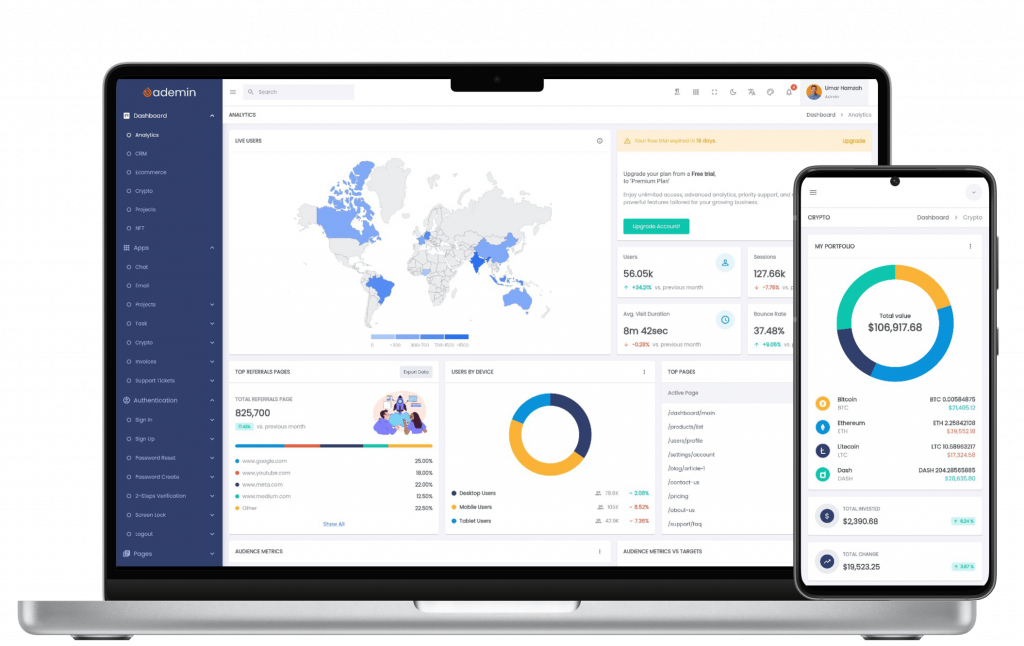
Modern SaaS products rarely stay the same for long. What starts as a simple admin panel with a few charts and tables often evolves into a complex ecosystem of analytics, user management, billing, automation, notifications, and integrations.
As new features are added, many teams discover that their dashboard architecture no longer scales. Screens become difficult to maintain, performance starts to degrade, and introducing new functionality requires touching multiple parts of the codebase.
This is why designing a Flutter SaaS dashboard with scalability in mind from the beginning is critical. A well-structured architecture enables teams to ship faster, maintain consistency, and support long-term product growth without repeatedly rebuilding the UI foundation.
In this article, we’ll explore practical approaches to building scalable SaaS dashboards in Flutter, covering layout architecture, widget modularity, state management, and performance optimization.
Common Scalability Challenges in Flutter UI
Many Flutter dashboards work well during the early stages of development but become increasingly difficult to manage as requirements grow.
Some of the most common challenges include:
1. Large Monolithic Screens
A dashboard page may initially contain only a few widgets. Over time, developers continue adding new sections until a single file contains thousands of lines of code.
Common symptoms:
- Difficult debugging
- Slow feature development
- Frequent merge conflicts
- Poor code readability
2. Repeated UI Components
Without a reusable component system, developers often duplicate widgets across multiple screens.
Examples include:
- Statistic cards
- Data tables
- User profile panels
- Activity timelines
- Filter sections
Duplicated code increases maintenance costs and creates visual inconsistencies throughout the application.
3. Inconsistent Design Patterns
As multiple developers contribute to a project, spacing, typography, colors, and interaction patterns can gradually diverge.
The result is a dashboard that feels fragmented rather than cohesive.
4. Performance Bottlenecks
As datasets grow larger, dashboards often experience:
- Slow page rendering
- Excessive widget rebuilds
- Laggy scrolling
- Increased memory usage
Scalability is not only about adding more features—it’s also about ensuring the UI remains responsive as complexity increases.
Modular Layout and Widget Reuse
One of the most effective strategies for creating a Scalable Flutter UI is adopting a modular architecture.
Instead of building entire screens as a single widget tree, divide the interface into reusable building blocks.
Create Feature-Based Modules
A scalable project structure might look like:
features/
├── dashboard/
├── users/
├── billing/
├── reports/
└── settings/
Each feature contains:
dashboard/
├── presentation/
├── domain/
├── data/
└── widgets/
This approach makes it easier to:
- Add new features
- Scale development teams
- Maintain code ownership
- Reduce coupling
Build Reusable Dashboard Components
Examples of reusable widgets include:
- KPI cards
- Charts
- Data grids
- Filter panels
- User avatars
- Status badges
Instead of rebuilding these elements repeatedly, create configurable components that can be reused throughout the dashboard.
For example:
DashboardStatCard(
  title: "Revenue",
  value: "\$42,300",
  trend: "+12%"
)
The same widget can be used across multiple modules while maintaining a consistent design language.
Use Responsive Layout Systems
SaaS dashboards are typically used across:
- Desktop monitors
- Laptops
- Tablets
- Large displays
Responsive layouts should be part of the architecture from day one.
Rather than hardcoding breakpoints throughout the application, centralize responsiveness into reusable layout utilities and wrappers.
This approach significantly reduces future maintenance costs.
Managing State and Data Flow
As dashboards grow, state management becomes increasingly important.
Simple local state may work for small applications, but larger SaaS products require predictable data flow.
Separate UI from Business Logic
Widgets should focus on presentation.
Business logic should remain in:
- Controllers
- ViewModels
- State providers
- Service layers
This separation improves:
- Testability
- Maintainability
- Reusability
Establish Clear Data Boundaries
A common scalability mistake is allowing widgets to directly fetch API data.
Instead:
UI
↓
State Layer
↓
Repository
↓
API Service
This layered architecture creates cleaner dependencies and makes future backend changes easier to manage.
Choose a Consistent State Management Strategy
Flutter provides multiple excellent options:
- Provider
- Riverpod
- Bloc
- Cubit
The specific choice is less important than maintaining consistency across the entire application.
A unified state management approach helps teams onboard developers more quickly and reduces architectural confusion.
Performance Considerations
Performance is a key component of scalability.
A dashboard that performs well with ten users may struggle when supporting thousands of records and multiple real-time data streams.
Minimize Unnecessary Rebuilds
Avoid rebuilding large widget trees when only small portions of data change.
Useful techniques include:
- Splitting widgets into smaller components
- Using selectors
- Leveraging immutable state
- Optimizing state listeners
Virtualize Large Lists
Dashboards frequently display:
- Customers
- Transactions
- Logs
- Reports
Always use lazy-loading widgets such as:
ListView.builder()instead of rendering all items simultaneously.
Optimize Data Tables
Large datasets can quickly become a performance bottleneck.
Consider:
- Pagination
- Server-side filtering
- Incremental loading
- Virtual scrolling
These techniques dramatically improve responsiveness.
Reduce Expensive Widget Trees
Complex nested layouts can increase rendering costs.
Regularly profile your application using Flutter DevTools to identify:
- Excessive rebuilds
- Layout issues
- Memory leaks
- Rendering bottlenecks
Performance optimization should be an ongoing process rather than a final development phase.
How FlutKit Supports Scalable Design
Building a scalable Flutter SaaS dashboard requires more than attractive UI components. It requires a solid architectural foundation that promotes consistency, reusability, and long-term maintainability.
FlutKit is designed with these principles in mind.
Ready-Made Dashboard Architecture
FlutKit provides structured dashboard templates that help teams start with a scalable foundation instead of building everything from scratch.
Reusable UI Components
The ecosystem includes reusable elements such as:
- Dashboard cards
- Analytics widgets
- Data tables
- Forms
- Navigation systems
- User management screens
These components reduce development time while maintaining design consistency.
Responsive Layout Support
Modern SaaS products must work across multiple screen sizes.
FlutKit includes responsive layout patterns that simplify the development of desktop, tablet, and web-based dashboard experiences.
Additionally, developers can leverage the open-source ResponsiveWrap package to build adaptive dashboard layouts with minimal effort.
Faster Team Collaboration
Because components follow a consistent design system, development teams can:
- Reuse code efficiently
- Maintain visual consistency
- Accelerate feature delivery
- Reduce technical debt
This makes FlutKit particularly valuable for growing SaaS platforms where scalability is a long-term requirement.
Conclusion
Designing a scalable dashboard is not simply about supporting more users. It is about creating an architecture that can evolve as your SaaS product grows.
By focusing on modular layouts, reusable widgets, structured state management, and performance optimization, teams can build a Scalable Flutter UI that remains maintainable for years.
Whether you’re launching a new product or modernizing an existing platform, investing in scalability early will save significant development time in the future.
Build Scalable Dashboards with FlutKit
Ready to accelerate your next SaaS UI design Flutter project?
FlutKit provides production-ready dashboard templates, reusable components, responsive layouts, and scalable architecture patterns that help teams build modern SaaS applications faster.
Start building scalable Flutter dashboards today with FlutKit and focus more on delivering business value instead of rebuilding foundational UI infrastructure.